Page 1 of 2
FAILED TO OPEN FILE FOR OUTPUT: INVALID VIDEO SIZE
Posted: Mon Mar 09, 2026 6:47 pm
by eliscio
When rendering out using the animation plugin, often people are getting this error. I asked some folks to change their display resolution back to 1920x1080 but it seems this is not a fix for all although it did work for some people.
Re: FAILED TO OPEN FILE FOR OUTPUT: INVALID VIDEO SIZE
Posted: Thu Mar 12, 2026 2:22 am
by daniel
I've never seen this error, but I personally don't use this plugin often. Is it occurring with a particular format/codec maybe?
Re: FAILED TO OPEN FILE FOR OUTPUT: INVALID VIDEO SIZE
Posted: Thu May 21, 2026 2:59 pm
by asconstruction1967
Hi, were you able to find a fix for this? I am getting the exact same error message. Tried manually reducing the size of my window but nothing is working. Thanks
Re: FAILED TO OPEN FILE FOR OUTPUT: INVALID VIDEO SIZE
Posted: Fri Jul 31, 2026 12:38 pm
by I&R_Digital
hi, I would also like to bump this, we get same message.

- video cloud compare.jpg (209.53 KiB) Viewed 22457 times
Preview is working ok, Export frames is working also, but when you click Render, that message apperas
we tried with MOV and other video formats, same message.
frames can be exported and processed in third party software, but it would be much easier if Render work
Re: FAILED TO OPEN FILE FOR OUTPUT: INVALID VIDEO SIZE
Posted: Thu Aug 06, 2026 3:41 pm
by daniel
Does it work better if you try with a output path that has no space/blank character?
Re: FAILED TO OPEN FILE FOR OUTPUT: INVALID VIDEO SIZE
Posted: Mon Aug 10, 2026 11:31 am
by I&R_Digital
we didn't tried that before, but it is same issue
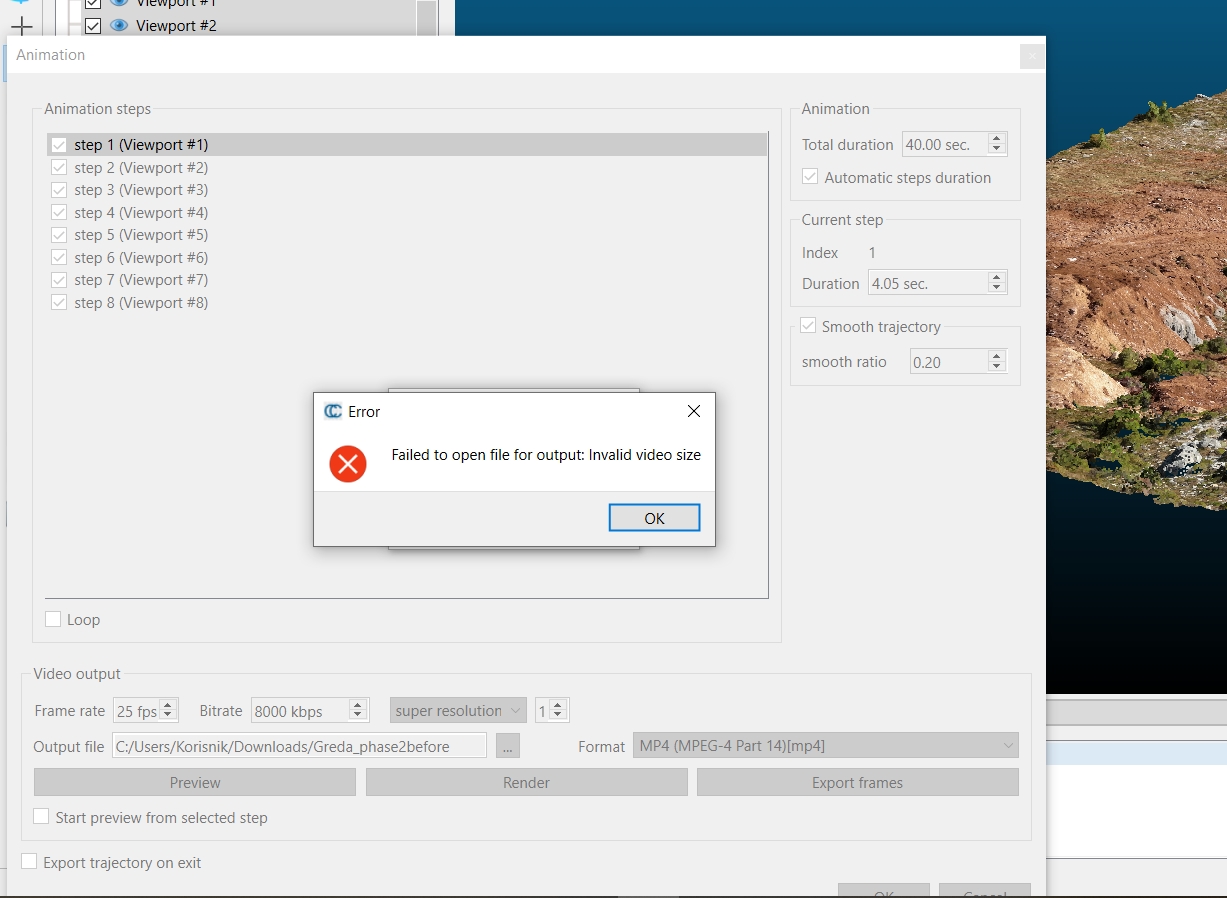
- ccvideoprob.jpg (267.12 KiB) Viewed 14822 times
Re: FAILED TO OPEN FILE FOR OUTPUT: INVALID VIDEO SIZE
Posted: Mon Aug 10, 2026 5:10 pm
by daniel
And have you tried to change the window size? (by actually reducing the CloudCompare window size)
Re: FAILED TO OPEN FILE FOR OUTPUT: INVALID VIDEO SIZE
Posted: Wed Aug 12, 2026 10:31 am
by I&R_Digital
you mean like not full screen? i did it just now, same message.
i did it provisionally, maybe there is some methodology?
i tried other options than super resolution, only one available is zoom, and it is the same with it
like i said, frames are exported in selected folder, preview works, just Render is the issue
Re: FAILED TO OPEN FILE FOR OUTPUT: INVALID VIDEO SIZE
Posted: Sun Aug 16, 2026 8:25 pm
by daniel
Yes, I guess it's a codec issue then. And sadly there are many codecs, and it's hard to know what they like or don't like. Do you have this issue with all codecs/formats?
Re: FAILED TO OPEN FILE FOR OUTPUT: INVALID VIDEO SIZE
Posted: Mon Aug 24, 2026 1:41 pm
by I&R_Digital
Yea, i tought it could be something with codecs, it's always something with them :D
like i said, frames export works, so there is a way around it: merge frames as image sequence in third party software.
but it still takes a lot of additional time and disk space to merge, for example, 6 sequences in one orbit
https://www.youtube.com/watch?v=a63xHMR9j6Y