Page 1 of 1
how can i show the triangles as lines?
Posted: Wed Apr 01, 2026 9:49 pm
by Mattbro
Hi,
In the image I uploaded all of the triangles are shown shaded. I need a version with the triangles all as black lines and there is no other color in the image. Essentially a wireframe image of all of the triangles. How can I show the image this way?
Thanks
Re: how can i show the triangles as lines?
Posted: Thu Apr 02, 2026 7:17 am
by daniel
You need to disable the mesh 'normals' (in its properties). And next to this option you have the 'wireframe' option as well.
Re: how can i show the triangles as lines?
Posted: Thu Apr 02, 2026 12:53 pm
by Mattbro
ok, thanks that's almost it. when I do that it shows up as a see through wireframe. is there any way to have a solid wireframe if that makes sense? I checked the box for normal and wireframe and it almost does it but only in areas
Re: how can i show the triangles as lines?
Posted: Thu Apr 02, 2026 1:05 pm
by daniel
Not sure to fully understand, sorry
Re: how can i show the triangles as lines?
Posted: Wed Apr 08, 2026 5:44 am
by c3kkos
What you are trying to achive is not clear.
Wireframe is about edges
Point clouds can be seen as "display only vertices"
Then there is face shading, which can be solid or can have some transparency. that's pretty all
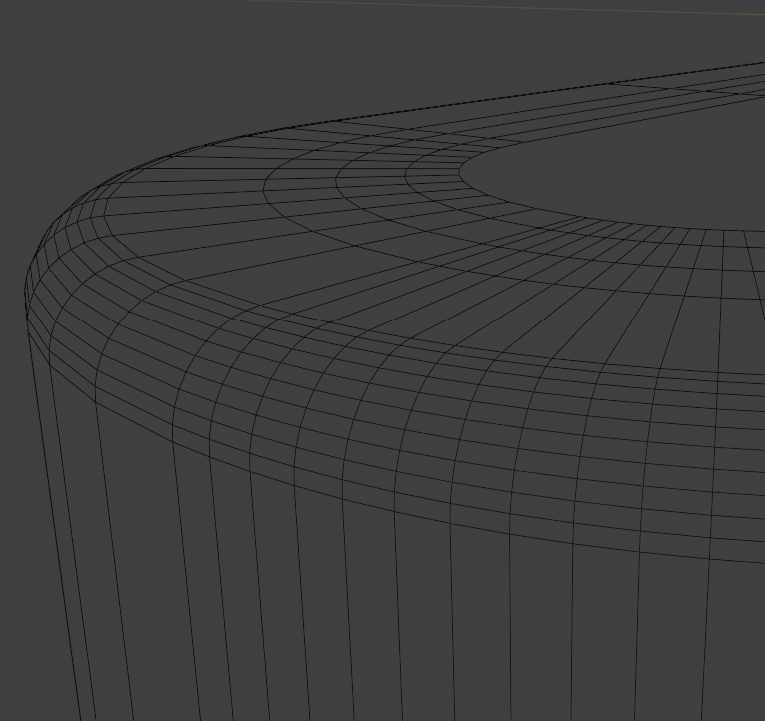
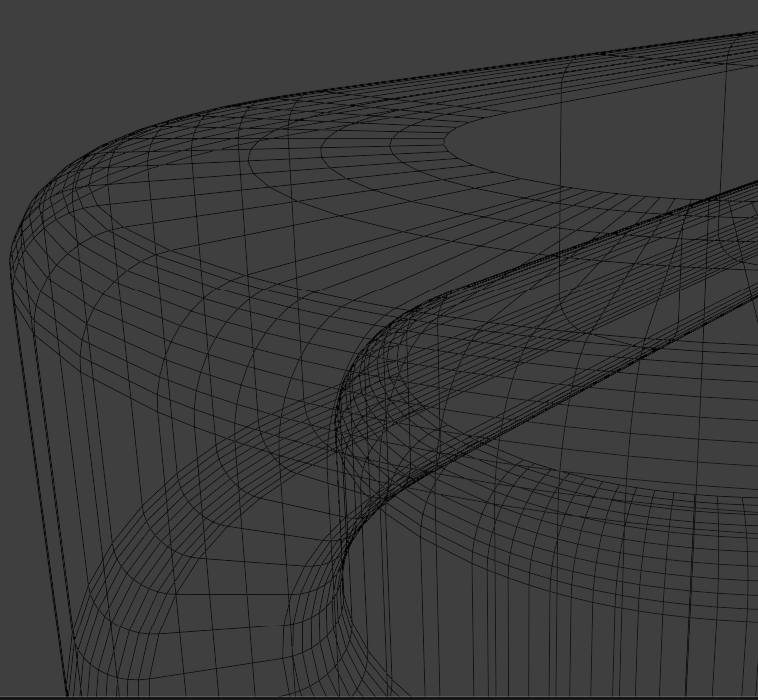
Maybe you mean wireframe with "clipping" or depth brush
achiveable in Blender toggling "xray" while in wireframe mode:

- Screenshot 2026-04-08 074713.png (11.53 KiB) Viewed 2818 times
- 2.png (113.56 KiB) Viewed 2818 times
- 3.png (263.58 KiB) Viewed 2818 times